Getting Started
Prerequisites
Before using Agentic Prompt Studio, make sure:
- You have an active Unstract Cloud account (Starter, Growth, or Enterprise plan)
- Or, you are an existing Enterprise On-Premise user.
- You have at least 1 LLM adapter configured in your Unstract workspace (e.g., OpenAI GPT-4o, Anthropic Claude Sonnet). You will need adapters for up to three roles (see Project Settings).
- You have a set of sample documents representing the variants you want to process. Use 3–5 representative samples that include layout and formatting variations. The more representative your samples are of real-world variation, the better the results.
Creating a Project
Open Agentic Prompt Studio from your Unstract dashboard. Create a new project or open an existing one.
- Open Prompt Studio from your Unstract dashboard.
- Create a new project or open an existing one.
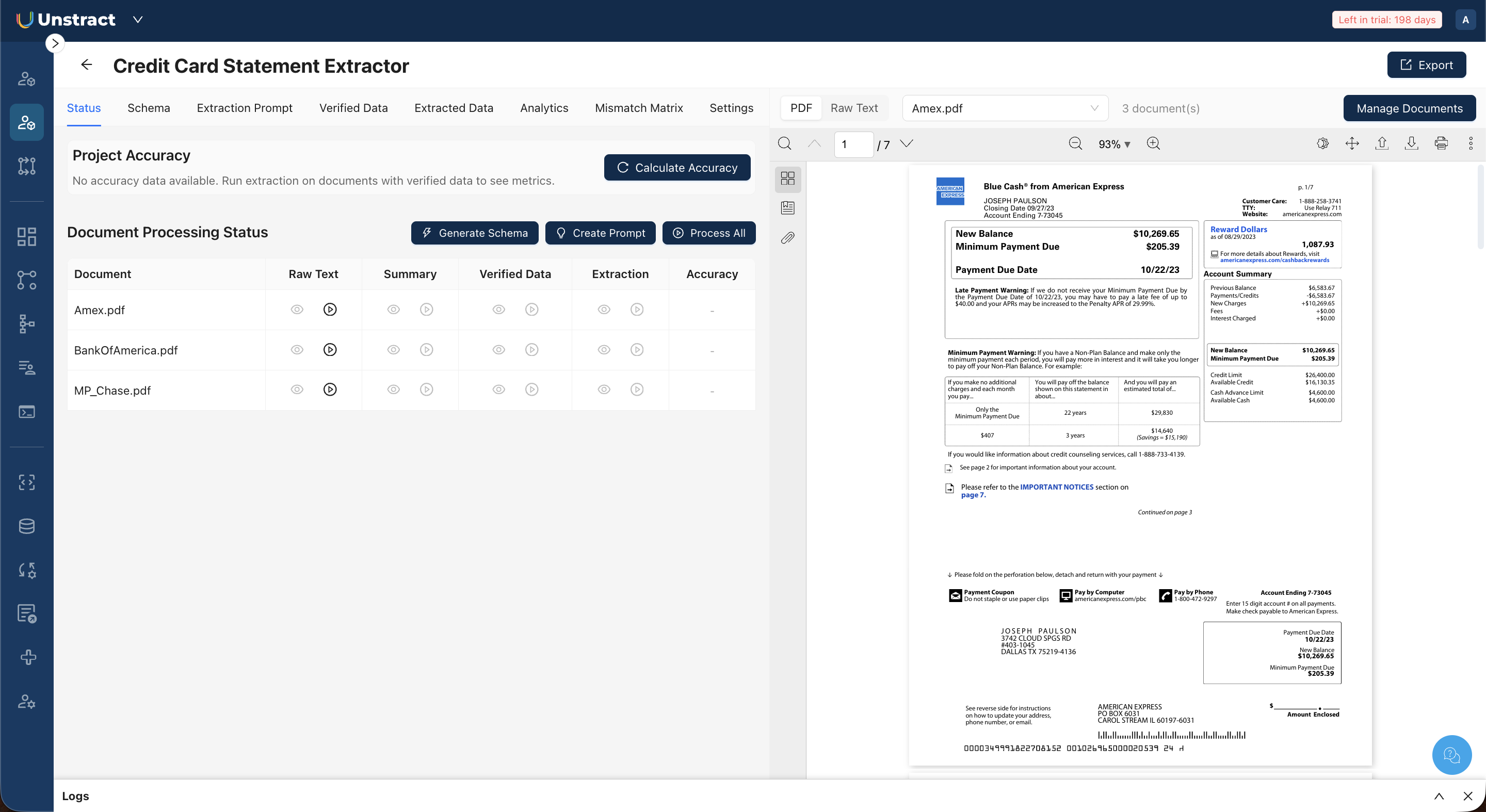
- Upload your document samples using Manage Documents in the top-right corner.
After uploading, head to the Status tab on the project's home screen.
This section shows your document list with processing status columns for each pipeline stage, along with three action buttons: Generate Schema, Create Prompt, and Process All.