Pinecone Vector Database
Pinecone is a cloud-based vector database designed for machine learning applications. It excels at storing and searching high-dimensional vector data, enabling fast and accurate similarity searches for tasks like recommendation systems and image recognition.
Getting started with Pinecone
-
By default, the Organization and API key will be generated. Get the API key as shown below,
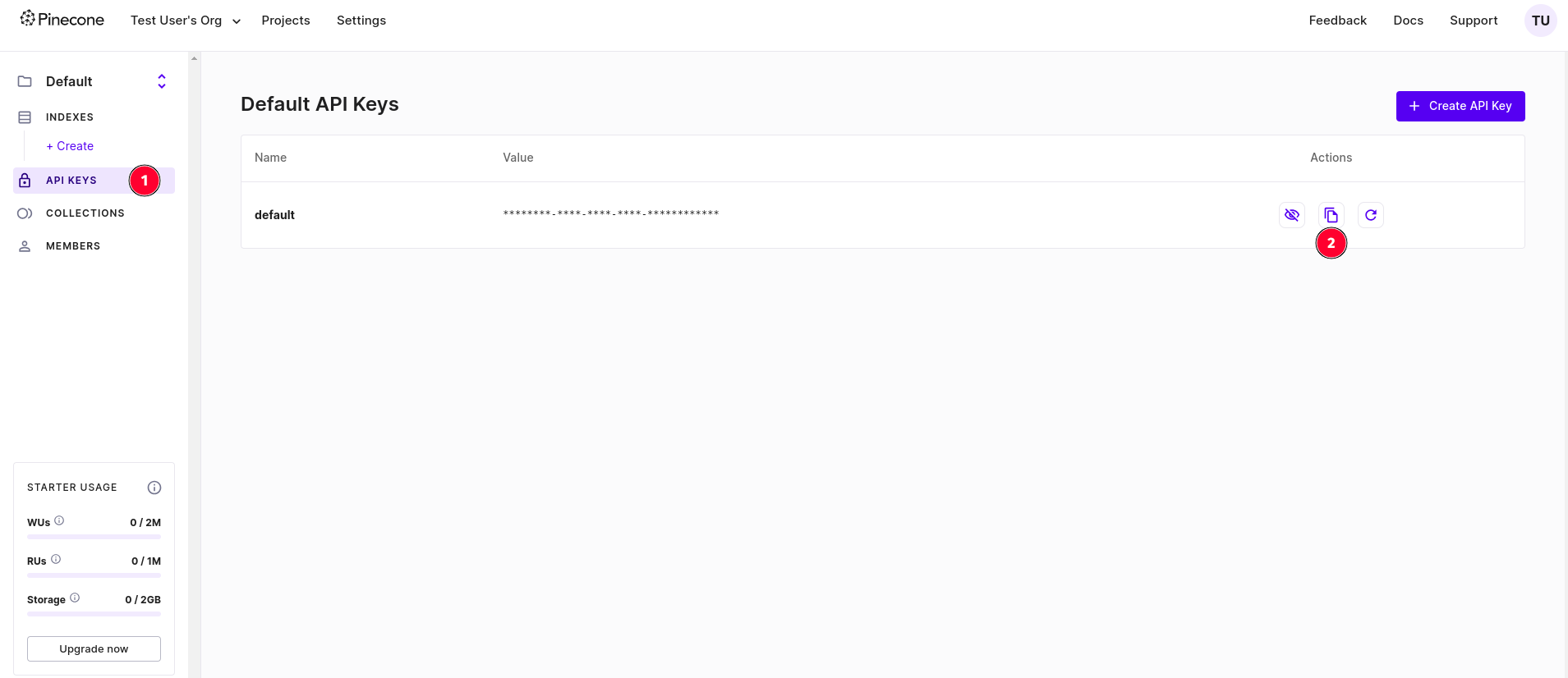
This is just a starter plan, check pricing section for plan upgrade.
Setting up the Pinecone Vector DB in Unstract
Now that we have an API key from Pinecone, we can use it to set up a Vector DB profile on the Unstract platform. For this:
-
Sign in to the Unstract Platform
-
From the side navigation menu, choose
Settings🞂Vector DBs -
Click on the
New Vector DB Profilebutton -
From the list of supported Vector DBs, choose
Pinecone. You should see a dialog box where you enter details.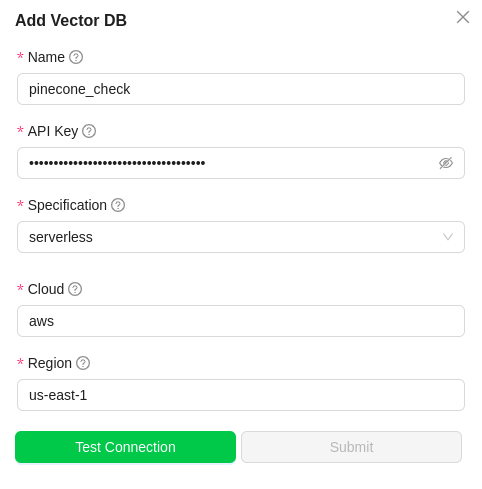
-
For
Name, enter a name for this connector. -
In the
Environmentfield, enter the pinecone indexes environment name. It'sgcp-starterin this case. -
In the
API Keyfield, paste the API key we copied on pinecone website. -
Click on
Test Connectionand ensure it succeeds. You can finally click onSubmitand that should create a new VectorDB Profile for use in your Unstract projects.